July 28, 2026
AI Habitat Datasets: Great for Homes, Short Everywhere Else
The public scene datasets for AI Habitat are 211 homes. Physicl builds custom, physics-accurate Habitat datasets for your domain. Request access
The public scene datasets for AI Habitat are 211 homes. Physicl builds custom, physics-accurate Habitat datasets for your domain. Request access
Key takeaways
If you've worked in habitat-lab, you know the pattern. AI Habitat is an embodied AI training simulator, not a dataset, and the simulator isn't the problem. Habitat renders Matterport3D at several thousand frames per second on one thread, and over 10,000 across processes on a single GPU. It runs a Fetch robot in ReplicaCAD at more than 8,000 steps per second.
The problem is that what you need doesn't exist. Say you need a cluttered pharmacy aisle. Or a hospital supply room. Or one gripper tested against 400 kinds of packaged food. What you can download is 211 homes.
So you improvise. You pull models off a marketplace, then spend a week writing collision meshes and object_config.json files by hand. Or you reshape the research question to fit ReplicaCAD. That second option lets your data pick your roadmap.
Physicl Studio is in private beta. Request access and get Habitat datasets built for your task.
Habitat doesn't load a mesh and start training. It loads a SceneDataset. That's a set of files linking your assets and describing how they fit together as scenes. An asset that renders well meets almost none of what those files need.
The right file formats. Habitat reads one 3D format, GLB. Everything else arrives as small JSON text files sitting alongside it: one for objects, one for stages, one for articulated objects, one for scene layouts. Habitat does not read USD, the format Isaac Sim uses. Assets built for another simulator have to be converted, and conversion is where material links and scene structure tend to break.
The room, separate from the furniture. Habitat wants the building shell as its own file: walls, floors, fixtures, nothing moveable. Scanned interiors come as one fused mesh instead, with the sofa welded to the floor. Nothing can be picked up because nothing is a separate object.
Real physics on every object. Each object needs a weight, a friction value, a bounce value (restitution), and a simplified shape the physics engine uses to work out contact. Habitat then marks each one STATIC, KINEMATIC or DYNAMIC, and only DYNAMIC objects actually respond to forces through Bullet, its physics engine. A steel pan and a plastic pan can share the same shape and still behave differently under a gripper. That difference comes from the material, and if nobody sets it, Habitat picks a default that is probably wrong.
Joints that open properly. Doors, drawers, cabinets and fridges need a URDF file describing how they move, with limits matching the real thing. Habitat also asks for a default_link: if the robot can only operate one joint, which one? Usually the biggest or easiest drawer.
Somewhere to put things down. Habitat calls these receptacles: the flat surfaces where an object can be placed. A tabletop, a shelf, a fridge tray. You define each one as a shape or a box. Without them Habitat can't scatter objects around a room on its own, and if it can't do that, you can't generate tidying-up tasks.
Grab points. Marker sets are the exact spots on an object where a robot should make contact. The handle on a drawer. The tap on a sink. This is the difference between a policy knowing a drawer exists and knowing how to open it.
A walking map for your robot. A navmesh records where your robot can physically fit and travel. It's calculated for one specific body width, so it belongs to that robot. ReplicaCAD ships two versions: one at 0.3m for a Fetch base, one at Habitat's default size. Change robot, recalculate.
Names for everything. Every object needs a category label. Without labels the agent's semantic camera returns nothing useful, and any task built around finding a named object is impossible.
ReplicaCAD shows what this costs. It recreates one scanned apartment. Shipping it took 90+ objects with collision meshes and physics, 6 stages, 6+ URDF articulated assets, receptacle metadata on all of them, a navmesh per scene, and 90 config files. The result was 84 furniture layouts of a single apartment.
One apartment. That's the price of building this by hand, and it explains why the public supply looks the way it does.
Four options. Each is good at something and stops somewhere.
If you need physics-accurate Habitat scenes in a specific domain, at volume, none of the four gets you there.
Before asking whether synthetic scenes are good enough, look at what Meta's own team found.
The Habitat Synthetic Scenes Dataset is artist-built: over 18,000 objects across 466 categories, in 211 scenes. Agents trained on it were tested on real scanned scenes. They performed as well as agents trained on earlier datasets, and sometimes better, with 100 times fewer scenes. In some runs, 122 synthetic scenes beat 10,000 scanned ones.
That's a result about quality, not about volume. Careful authoring won by roughly 80 times in scene count.
It also moves the question. Synthetic scenes work. What's missing is someone producing them in the domains and quantities a commercial pipeline needs. HSSD-200 answered the first part and stopped at 211 scenes.
Knowing the categories makes it easier to see what your pipeline lacks.
By behaviour:
By role:
By task:
By domain:
Most manipulation failures in Habitat come from two things. Too few articulated objects, or training scenes that don't match where the robot will actually work. Both are sourcing problems, not model problems.
Physicl is the training data layer for physical AI. Habitat is one of our export targets, alongside Isaac Sim, MuJoCo, Unreal and Omniverse.
The work is custom. You tell us the domain, the object categories, the robot footprint, the task, and which metadata channels your pipeline reads. We build the SceneDataset.
Any input. Images, video, scans, CAD files, telemetry. If you have reference material for the environment, that's enough to start. No pre-processing needed.
Physics calculated, not guessed. We clean the geometry, resolve the materials, then derive collision meshes, mass, friction and joint ranges from what the object is actually made of. Bullet uses whatever number is in the config. Give a cabinet door an invented mass and a rough hinge limit, and your policy learns the wrong force and the wrong grasp. It will learn it the same way in every episode.
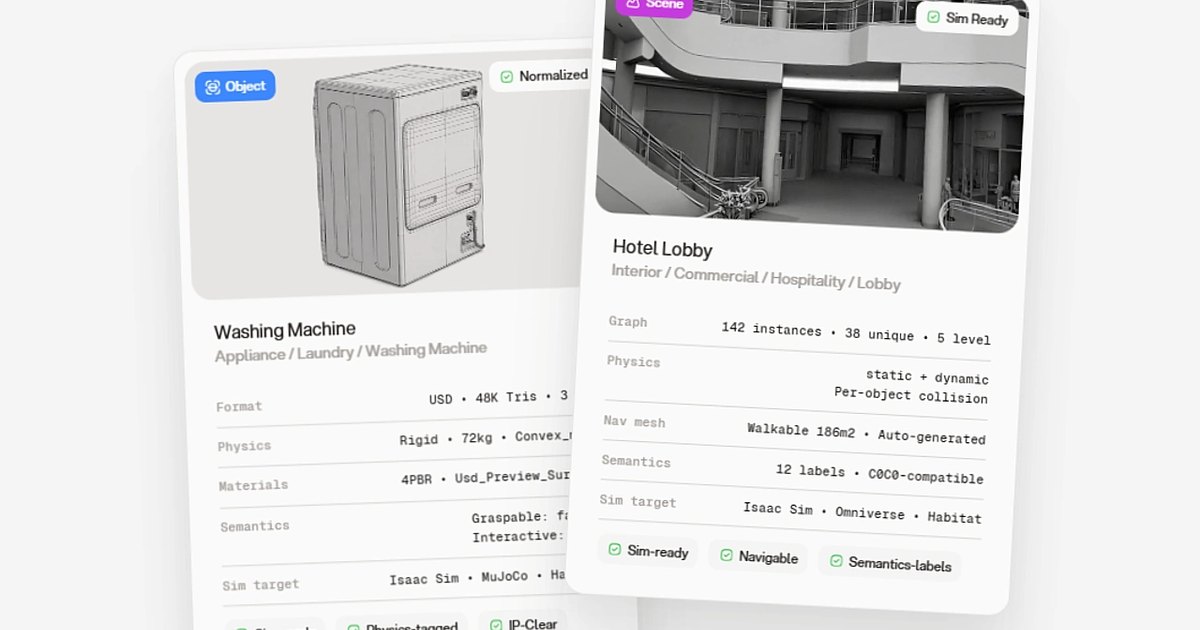
Habitat-shaped scenes. Per-object collision, generated navmeshes, walkable area, semantic labels, receptacle surfaces, articulation data. Built in, not added afterwards.
Thousands of variants. One base environment becomes thousands of versions: lighting, layout, scale, occlusion, object placement. The ReplicaCAD idea of 84 layouts, without 84 rounds of authoring. We produce over 100,000 sim-ready assets a month, heading for 1,000,000 by 2027.
Checked by people. 3D specialists and physics reviewers look at geometry, materials and sim-readiness across three rounds. 98% pass our QC before anything ships.
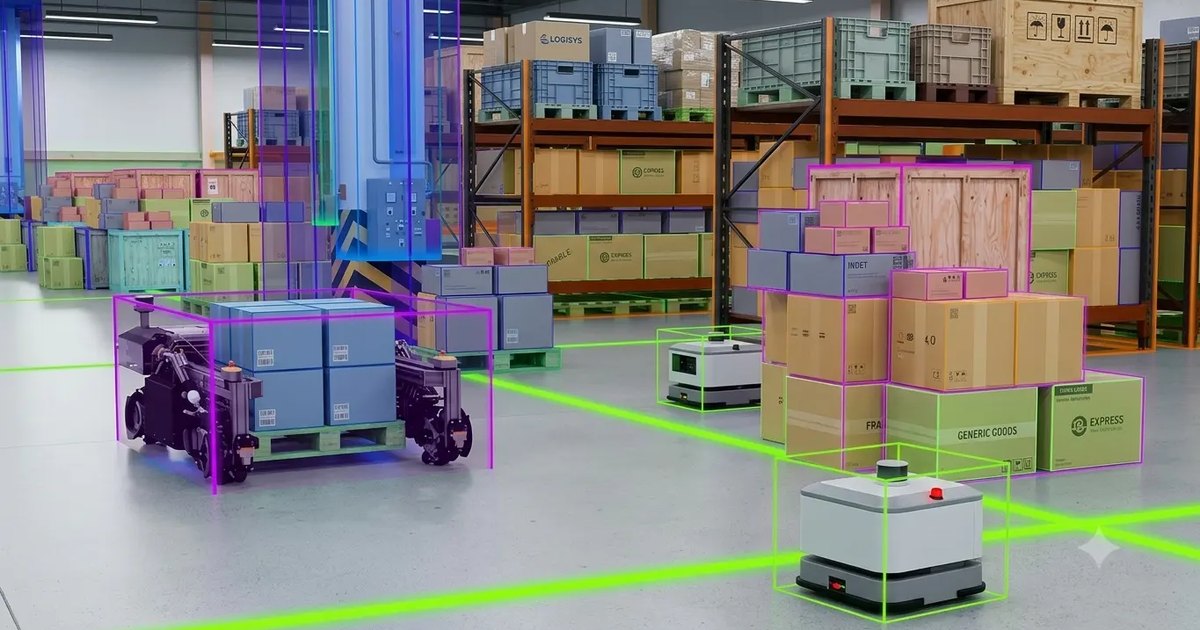
The domains nobody has built. Warehouse, factory, retail, hotel, hospital, and scenarios that don't exist in any library because nobody has needed them at this scale yet.
Licensed for commercial use. Habitat-Lab is MIT, but the datasets aren't. Each one carries its own licence from its own licensor, and several are research-only. If you train a model you plan to deploy, you inherit every one of those terms. Our assets don't come with them.
Habitat gave the field a simulator fast enough to make embodied AI practical. Then it showed that artist-built synthetic scenes are the most efficient thing to put in it. What it didn't do is build them for your domain. That's our part.
Request access to the Private Beta, or talk to the team about a custom Habitat dataset.