One scene. Millions of variations.
Studio is the first app on the Physicl platform. Describe the scene your model is missing, choose what changes, and every frame comes back with its ground truth.
From a prompt
to a dataset.
Describe the scene
A warehouse aisle, a stockroom, a child's bedroom with the floor covered. You describe the space your model works in and Studio finds it in the catalogue.
Choose what varies
Clutter, layout, light, camera path. You name the axis your model is weak on and Studio holds everything else still.
Pick the ground truth
Chosen once, then written onto every frame of every run. Nothing is estimated afterwards because the scene is built before it is photographed.
Approve the run
Resolution, samples, stride and how many runs. Studio shows the full run and how long it will take before anything renders.
Take the output
One folder per run in the bucket you connected. The frames, the layers beside them, the camera for each one, and a record of which axes were turned and to what.
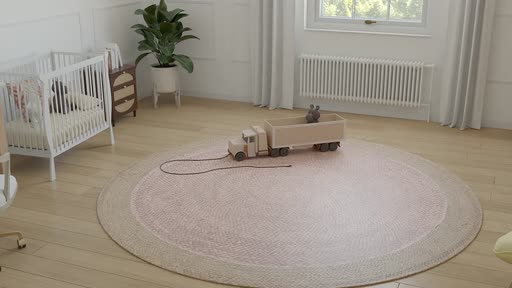






10,000+ scenes. 100,000+ objects.
Growing every day.
Warehouses, hospitals, labs, shops and offices, curated by people. New scenes land every day, and every Studio user gets the whole library.
Six jobs from one batch.
One run can serve several of these at once, because every layer is written onto the same frames.

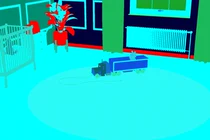
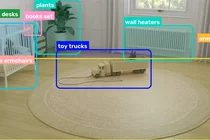
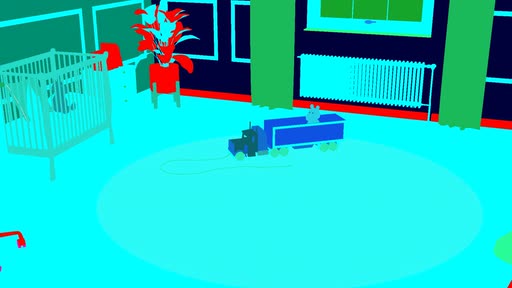
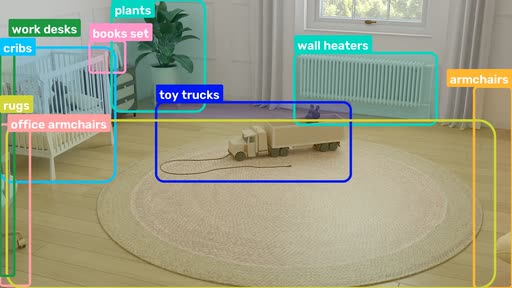
Detection and instance segmentation
Boxes and masks come off the geometry. A rare arrangement costs one render, at the same label quality as a common one.
Segmentation · Instance IDs · Boxes
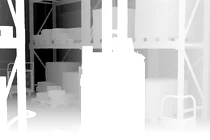
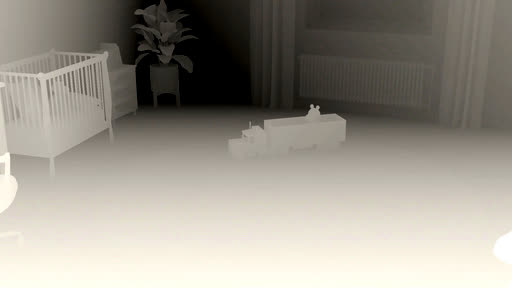
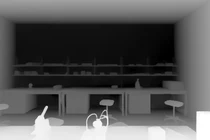
Monocular metric depth
Depth in metres on every pixel, written by the renderer, dense all the way to the edges of the frame.
Depth · Metres · EXR
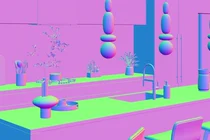
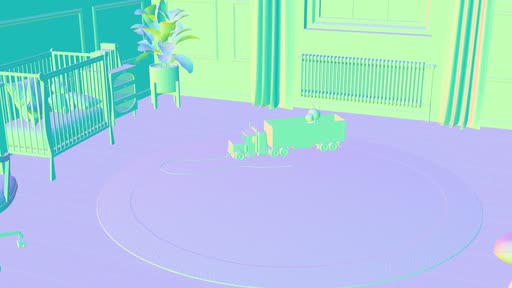
Surface normal estimation
One orientation per pixel, taken from the geometry and registered to the frame it belongs to.
Normals · Camera pose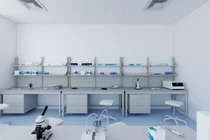
Feed-forward reconstruction
Models that predict geometry straight from images train on pose and dense depth together, the pairing real capture is least likely to hand over.
Camera pose · Depth · Beauty


Robustness evaluation
Hold the room still, move one axis, and read the point where the score falls off.
Permutations · The axes, recorded
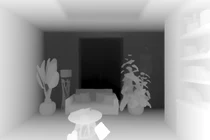
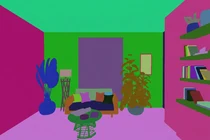
Spatial reasoning
Distances and sizes a model can be questioned on, read off the scene rather than estimated from the picture afterwards.
Depth · Instance IDs · Camera poseEvery setting on the run
is yours.
Try it on the room your model gets wrong.
Studio is open to a small group of researchers and design partners.
About Studio.
What is synthetic training data for computer vision?
Synthetic training data is imagery rendered from 3D geometry, which means the labels come out of the scene instead of out of a labelling queue. Every frame Studio renders carries depth in metres, surface normals, instance segmentation, 2D boxes and the camera pose, all read off the geometry as the frame is drawn.
How do you generate training data without a 3D artist?
You describe the scene in words. Studio finds the scene, you choose which axes vary, and you approve the run before anything renders. There is no 3D software to open, no scene to assemble and no modelling step.
What ground truth comes with each rendered frame?
Five passes and a pose on every frame. The beauty pass is the colour image a model would see as a photograph. Depth gives distance in metres at every pixel. Surface normals give the direction each surface faces. Instance segmentation gives every object its own ID, and 2D boxes come with a class each. Camera pose is written per frame, and annotations are COCO shaped.
Is rendered training data the same as simulation?
No. Simulation runs physics forward in time. Rendering turns a 3D scene into images. Studio renders, which is why depth, normals and instance IDs are exact rather than predicted.
What if the scene I need is not in the library?
Say so in your access request, with the space you need.
How do I get access to Physicl Studio?
Studio is in private beta. Request access and tell us what you are training.