June 30, 2026

Isaac Sim Assets Built for Physics, Not Just Rendering

Most Isaac Sim assets look right and simulate wrong. Physicl builds physics-accurate, USD-ready assets for Isaac Sim. Request access
Isaac Sim Assets Built for Physics, Not Just Rendering

Key takeaways

  • Isaac Sim assets from general 3D libraries are not built for physics simulation. They look right but behave wrong.
  • Making an asset simulation-ready requires weight, friction, collision data, and correct USD format.
  • Physicl is solving the scale and coverage gap that existing sources leave open.
  • Physicl produces Isaac Sim assets with physics calculated, not guessed, and works alongside NVIDIA's SimReady library.

If you've spent time building training pipelines in NVIDIA Isaac Sim, you've likely run into the asset problem. You find a 3D model that looks right. You import it. It falls through the floor, collapses under contact forces, or behaves in ways that break your simulation.

This isn't a bug. It's what happens when you bring the wrong kind of asset into Isaac Sim. Assets sourced from general 3D libraries weren't built for physics simulation, and that gap shows up in training.

Physicl's private beta is open. Request access and start training with physics-accurate Isaac Sim assets.

Isaac Sim Assets Are Not Regular 3D Assets

Isaac Sim runs physics simulation. That means every object in a scene needs to carry physical properties, not just geometry. A 3D asset that works in a game engine or a rendering pipeline will typically not behave correctly in Isaac Sim unless it was built with simulation in mind from the start.

The specific requirements:

USD format. Isaac Sim is built on OpenUSD. Assets need to be correctly exported to USD with their full hierarchy, material references, and physics properties intact. Most common 3D formats (FBX, OBJ, GLTF) require conversion, and that conversion can break material references or collapse scene hierarchy.

Collision geometry. Isaac Sim uses two separate meshes per object: the visual mesh for rendering, and the collision mesh for physics computation. The collision mesh needs to be clean enough for the physics engine to compute contact correctly. Visual meshes from general stock libraries are rarely structured this way.

Mass and inertia. Every rigid object needs a mass value and a definition of how it resists movement and rotation. Isaac Sim will assign defaults if these are missing, but defaults rarely reflect the real object. A steel pan and a plastic pan of identical geometry will behave differently under a robotic gripper in the real world. Getting that right in simulation requires mass derived from the actual material, not an estimated placeholder.

Physics material assignments. How objects behave on contact, how much they slide, how much they bounce, should be assigned per surface material. Without these, contact behavior across objects in your scene will be uniform, which limits how accurately the simulation reflects real-world interaction.

Verified simulation behavior. An asset that passes visual inspection may still behave incorrectly in Isaac Sim: objects that jitter when resting, fall at the wrong speed, or pass through surfaces under fast motion. Catching these before training starts matters.

Where Teams Currently Source Isaac Sim Assets

Robotics teams building Isaac Sim pipelines tend to draw from one of three sources, each with real strengths and limits.

  • NVIDIA's SimReady library. NVIDIA provides a growing set of pre-validated SimReady assets designed for Isaac Sim. These are high-quality and trustworthy by construction. Coverage is strongest in industrial and warehouse environments. For teams training navigation and logistics workflows, it's a solid starting point. For manipulation training across domestic or commercial environments, the library is still growing and gaps exist.
  • In-house production. Teams build what they need. This produces the tightest fit between asset quality and pipeline requirements, but it's slow, expensive, and difficult to scale to the volume and variation a serious training pipeline demands. It also means rebuilding equivalent infrastructure at every organization.
  • Converted stock assets. Teams pull assets from Sketchfab, TurboSquid, or CAD repositories and convert them for Isaac Sim. The effort is real: collision mesh generation, physics property assignment, USD conversion, simulation verification. Results can be inconsistent, and licensing for AI training use can be unclear.

For teams that need high-volume, high-variety Isaac Sim-ready assets beyond what each of these currently covers, the gap remains a genuine bottleneck.
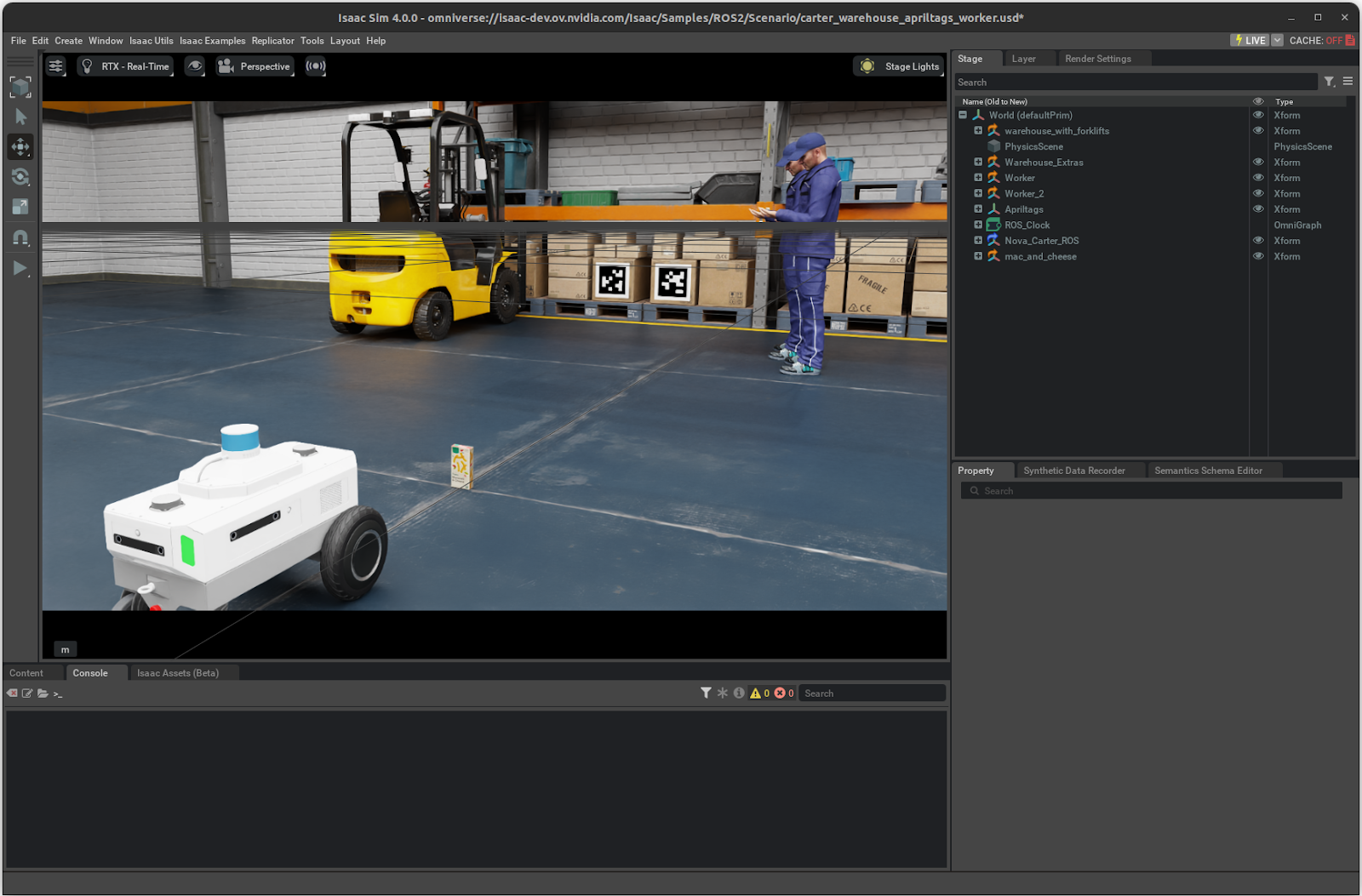
Screenshot of Isaac Sim interface. Source: https://docs.nvidia.com/

Types of Isaac Sim Assets

Not all Isaac Sim assets are the same. Understanding the categories helps identify where your pipeline has gaps and what you actually need to source.

By physical behavior:

  • Rigid assets: boxes, tools, appliances, furniture. Fixed shape, no moving parts.
  • Articulated assets: fridges, cabinets, drawers, doors. Have joints and moving components.
  • Deformable assets: cloth, packaging, foam. Shape changes under force.

By scene role:

  • Object assets: individual items a robot interacts with
  • Environment assets: full scene layouts (warehouse, kitchen, hospital)
  • Robot assets: the robot models themselves (arms, mobile platforms, humanoids)

By domain:

  • Industrial/warehouse: shelving, conveyor belts, pallets, forklifts
  • Domestic: household objects, furniture, appliances
  • Commercial: retail, hospitality, office
  • Healthcare: medical equipment, trays, instruments

Most manipulation training failures trace back to gaps in articulated and deformable object coverage. These are the hardest categories to source and the ones most underrepresented in general 3D libraries. 

What Physicl Provides for Isaac Sim

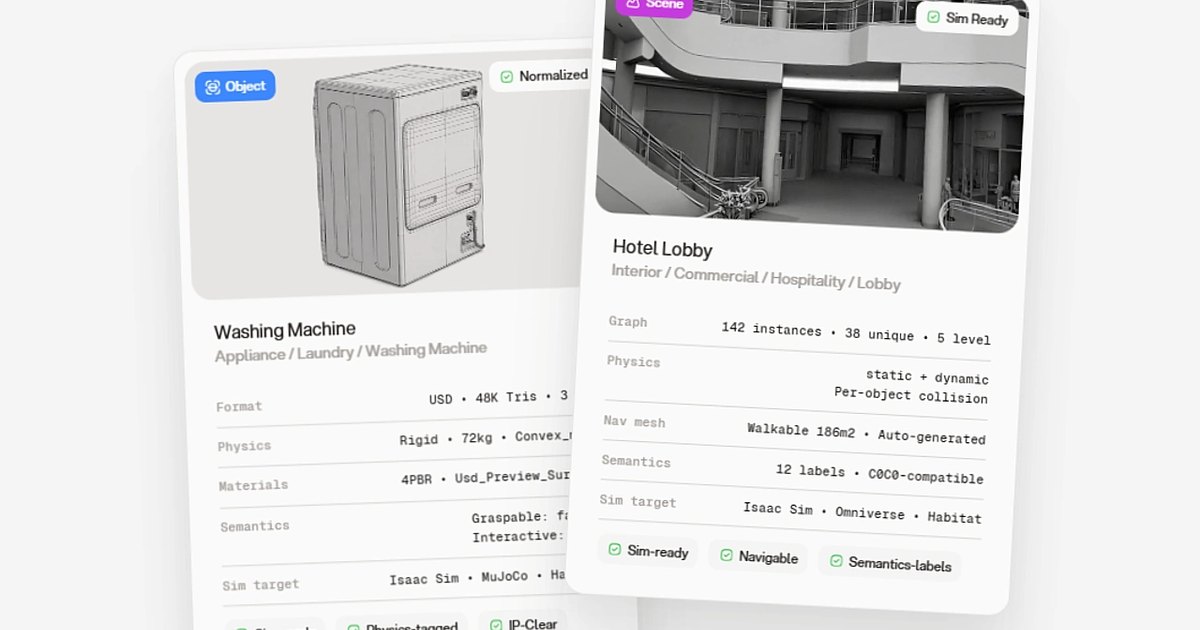
Physicl produces 3D assets and environments built specifically for Isaac Sim. Every asset ships with correct weight, friction, collision data, and verified behavior. Ready to load, no repair required.

The physics aren't estimated. For every object, Physicl builds a model where geometry and material are fully known, and the physical properties follow from that. A chair weighs what a chair weighs. A refrigerator door opens the way a refrigerator door opens.

The library spans home, commercial, industrial, and healthcare domains, with assets tested directly in Isaac Sim. It's live and growing, with a roadmap to reach 1,000,000 assets by 2027. All content is commercially licensed for AI training use.

Variety matters as much as volume. Physicl generates thousands of variations from a single base model across different lighting, layouts, materials, and object configurations. That breadth is what makes physical AI training data fundamentally different from standard 3D datasets.

Physical AI is data-limited, not model-limited. Physicl was built to close that gap. Request access to the private beta and see it in action. 
FAQ

What is Isaac Sim?
Isaac Sim is NVIDIA's robotics simulation platform, built on OpenUSD and designed for training, testing, and validating robots in physically accurate virtual environments. It runs on NVIDIA Omniverse and supports synthetic data generation, sensor simulation, and reinforcement learning workflows. For physical AI teams, it is the primary environment where robots learn before they touch the real world.
Where can I browse and download Isaac Sim assets?
NVIDIA's SimReady asset browser is the native starting point: pre-validated SimReady assets organized by domain, built into the Omniverse ecosystem. For teams that need coverage beyond what's currently in that library, Physicl's library is live and growing across home, commercial, industrial, and healthcare domains, with a roadmap to reach 1,000,000 assets by 2027. Personalized data packs (curated collections matched to your specific training domain) are also coming soon.
What are Isaac Sim environment assets and how do they differ from object assets?
Environment assets are full scene layouts like a warehouse floor, a kitchen, or a hospital corridor, providing the spatial context a robot trains in. Unlike individual SimReady assets, environments need navigable geometry, task zones, lighting setups, and annotated object placement to be useful in a training loop.
Why am I getting errors loading assets into Isaac Sim?
Usually a USD issue: broken material references, missing physics schemas, or hierarchy mismatches introduced during conversion from another format. Assets not built natively for Isaac Sim frequently need manual repair before they load cleanly. SimReady assets and those from Physicl are produced natively in USD with Isaac Sim validation, so they typically avoid these problems at the source.
Does Physicl work directly with Isaac Sim or does it require additional tooling?
Physicl exports in OpenUSD, Isaac Sim's native format, and provides a Python SDK and REST API for pipeline integration. Assets drop directly into an Isaac Sim training loop, no manual import steps or format conversion required.
Is Physicl a replacement for NVIDIA's SimReady library?
No, it's complementary. The SimReady library covers industrial and warehouse domains well. Physicl fills the gaps and goes further: domestic environments, commercial spaces, large-scale object variation, and custom asset packs built to your specific training requirements. Both produce the same USD format and work in the same Isaac Sim pipeline.